The short answer
A monday.com form always creates its item on one board — the form’s board. If several teams need to act on each submission (intake + the assigned team + a manager view), the reliable pattern is: keep the form’s intake board as the system of record, then share each new item to the other boards automatically so every board works on the same item. Duplicating submissions with “create item in board X” automations gives every team a different copy, and the copies immediately stop agreeing with each other.The pattern
- Intake board — where the form lives. Every submission lands here first, untouched. This protects the integrity of the original data.
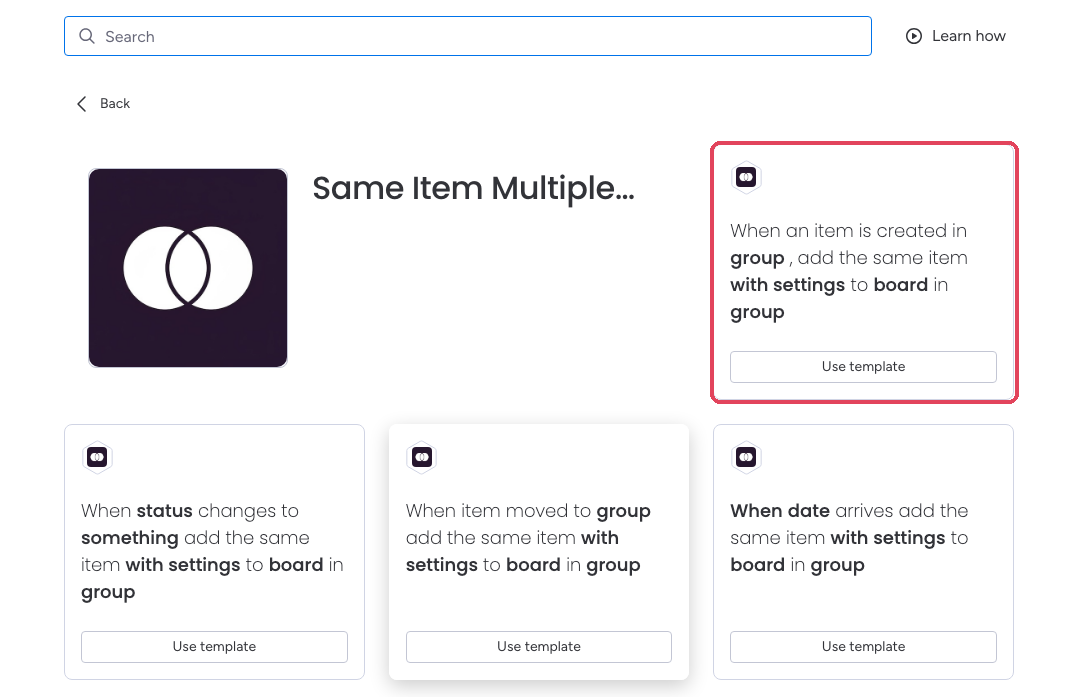
- Routing automation — with Same Item Multiple Boards installed, add an automation recipe on the intake board: “when item is created, share item to board X” — or route conditionally: “when Department is set to Facilities, share to the Facilities board.”
- Column names must match between the intake board and destination boards for their values to sync — automatic column matching explains the requirements. Add missing columns directly on the destination board. Columns you don’t want shared (internal triage notes) simply don’t exist on the destination.
- Work happens anywhere — the team updates status on their board, the intake team sees it on theirs, and any manager view sees the same. One item, one truth, one updates thread (how updates sync).