“You don’t have permission to duplicate pulses.”

Fix Options
- Update Board Permissions (Recommended)
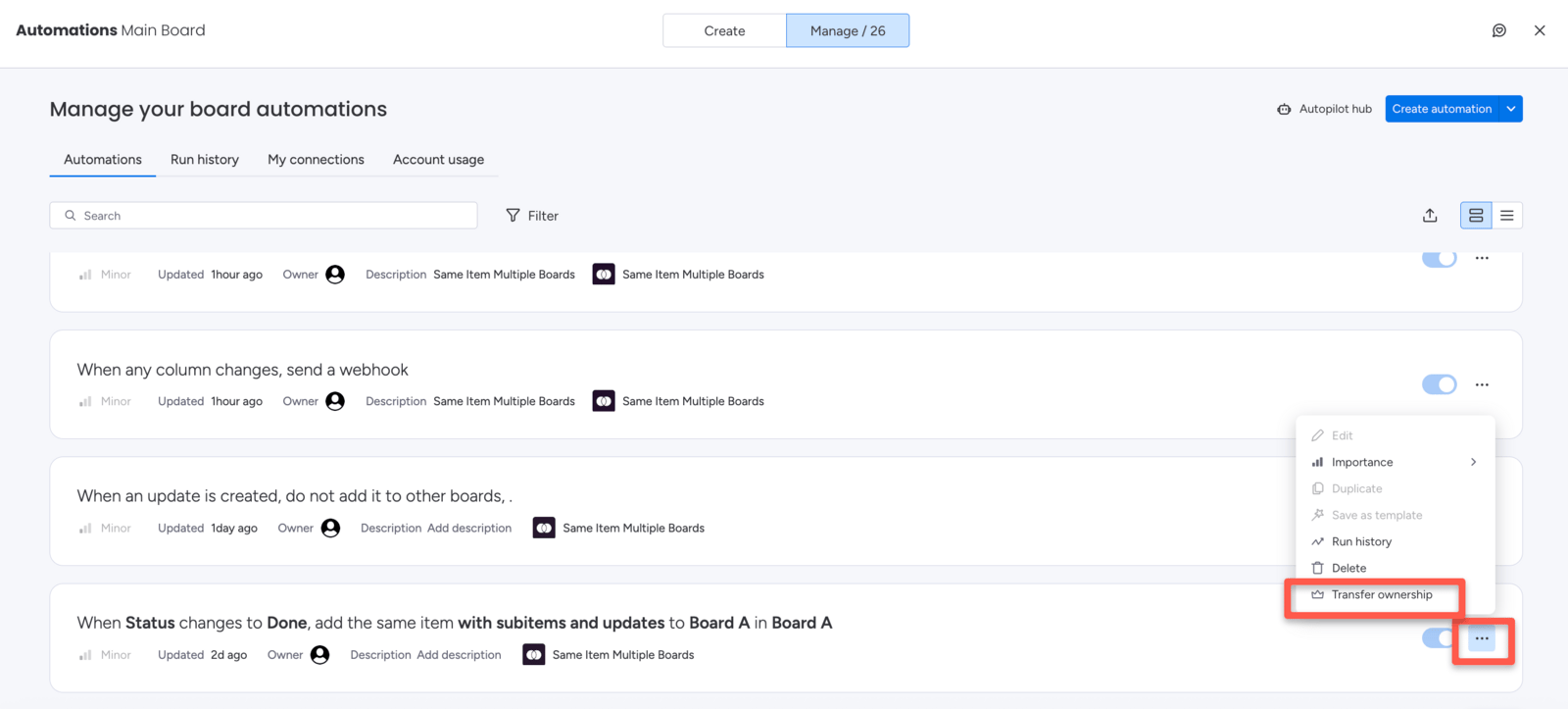
- Change the Automation Owner
- Ask an Admin to Perform the Action
The cleanest solution is to grant item-creation permissions to the affected user directly on the destination board.
1
Open the destination board
Navigate to the board where the item is being added.
2
Open board permissions
Click the three-dot menu (⋯) in the top-right corner of the board, then select Board permissions or Board settings.
3
Grant item-creation access
Find the affected user and make sure they have permission to create items on this board.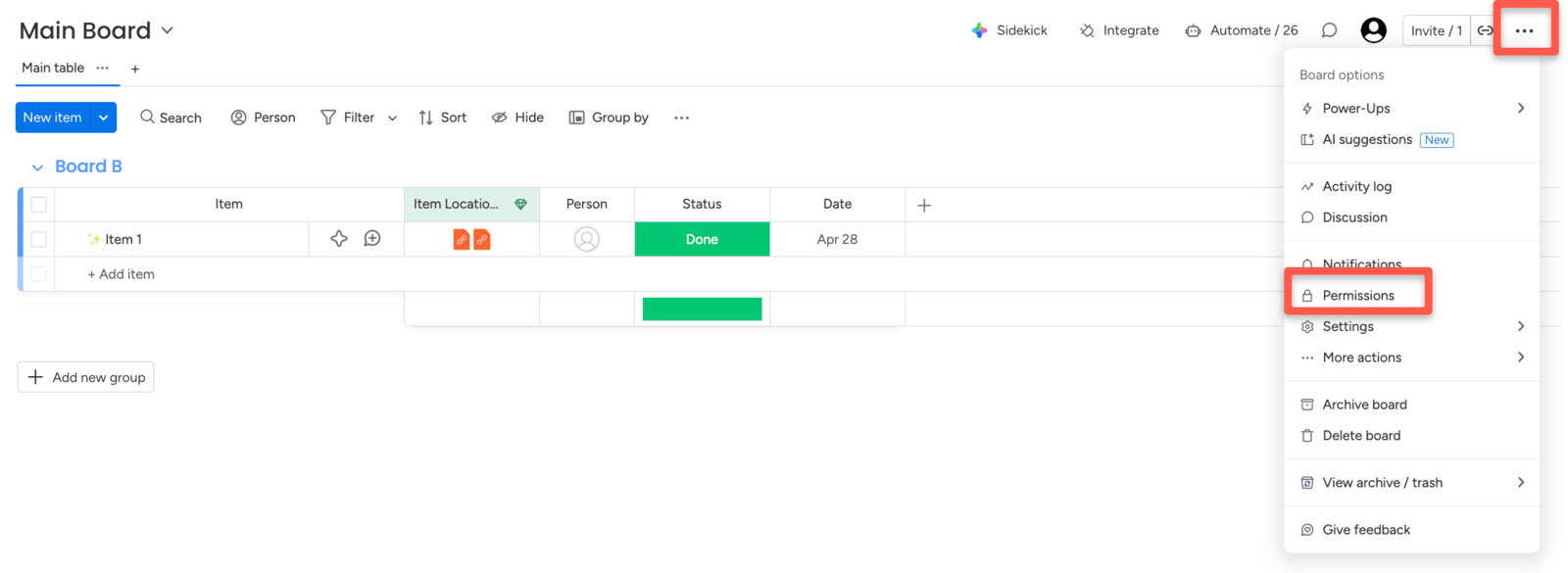
4
Save and retry
Save the changes, then try sharing the item again.