Why SIMB Adds Webhooks to Your Boards
SIMB installs webhooks for two purposes: Real-time column sync — whenever something changes on a shared item (a status, a date, a text field, an assignment), the webhook fires and SIMB immediately pushes that change to all connected boards. Move-item tracking — SIMB also adds “move item to group” webhooks to boards. monday.com only notifies apps when an item arrives at a board — it does not send a notification when an item leaves. These extra webhooks ensure shared items continue syncing correctly even if they’re moved around unexpectedly, preventing broken syncs or lost updates.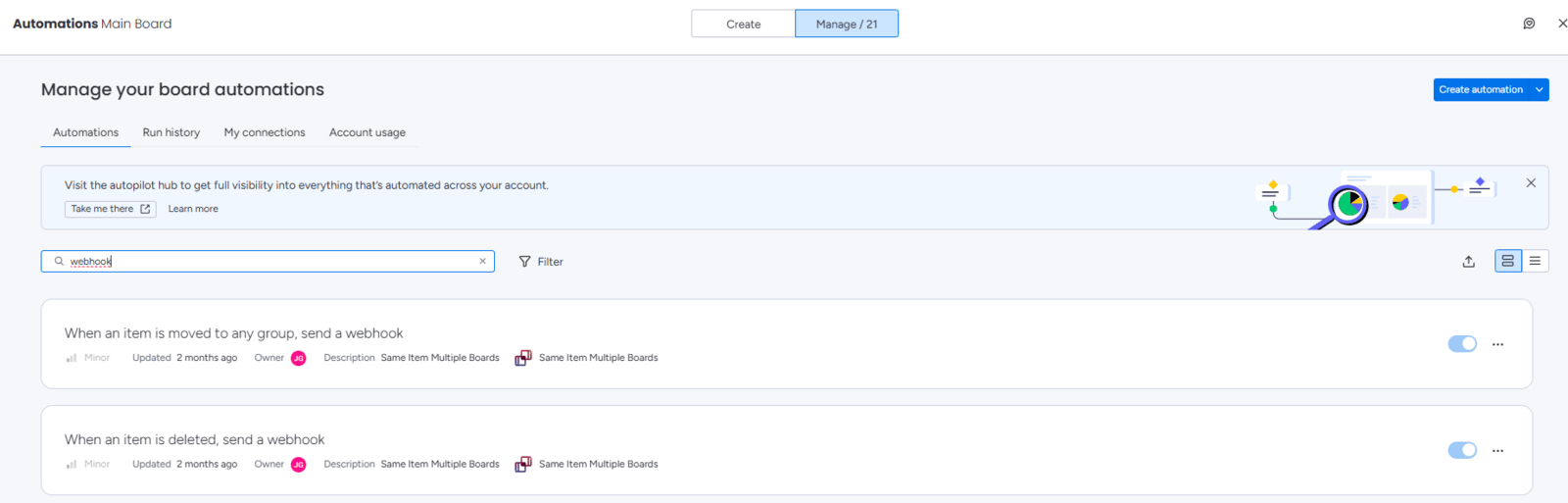
You may notice webhooks on boards where you don’t actively use SIMB. This is expected — those webhooks exist to catch item movements that monday.com wouldn’t otherwise report.
What Happens When Webhooks Are Deactivated
If a webhook is disabled, deleted, or broken — whether manually or due to a system glitch — item synchronisation across boards will stop. Column changes won’t propagate, and updates will silently fail. The fix is straightforward: reinstall the webhook. You have two methods available.Method 1: Refresh All Webhooks (Recommended)
This method reinstalls all webhooks on the affected board under your user account, fully restoring the sync.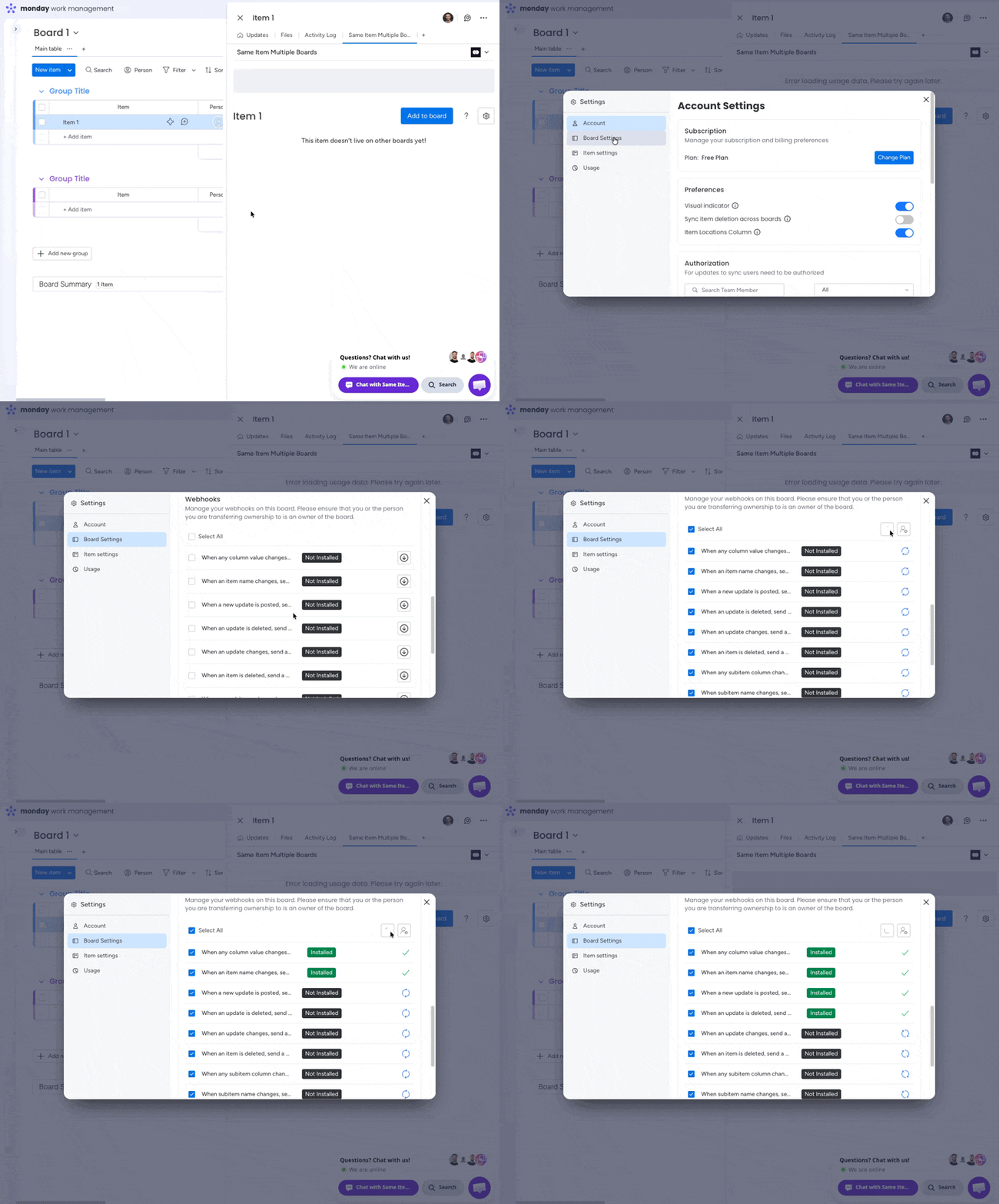
1
Open any item on the affected board
You can use any item — it doesn’t need to be a shared item.
2
Click the SIMB tab
Open the Same Item Multiple Boards tab in the item view.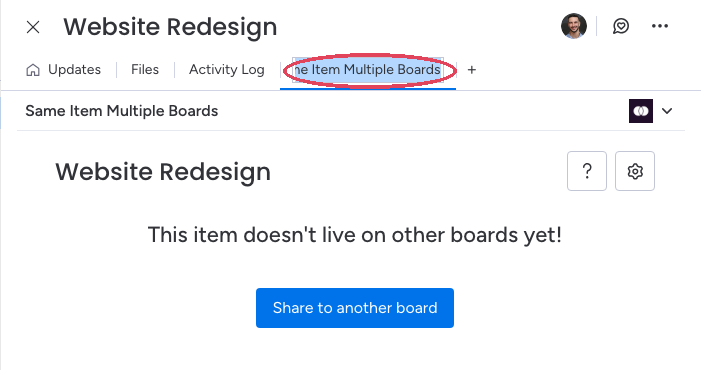
3
Open Settings
Click the Settings (gear) icon in the top-right corner of the view.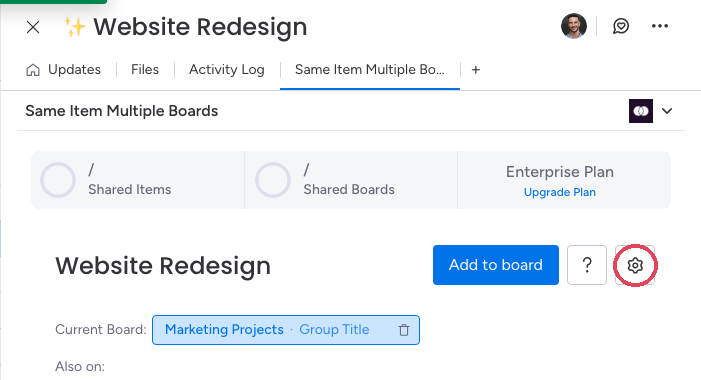
4
Click Board Settings and scroll to Webhooks
Select Board Settings from the settings menu and scroll down to the Webhooks section — every webhook on the board is listed with its status.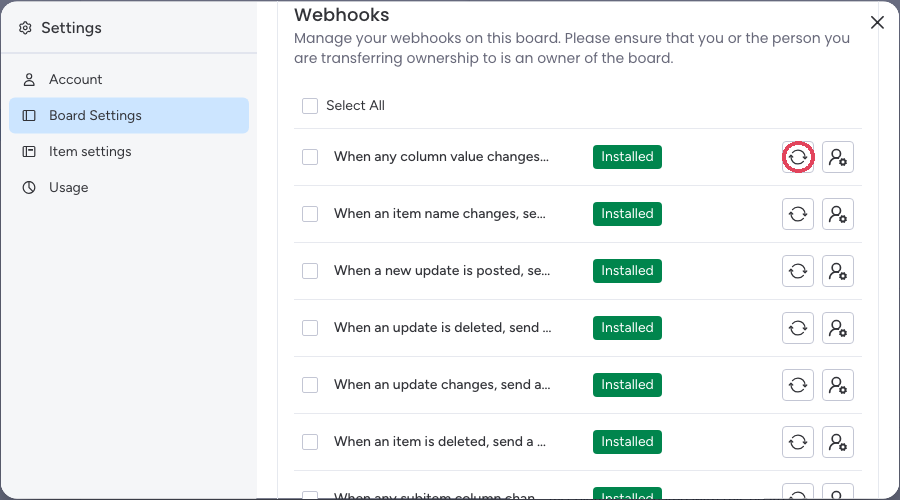
5
Select all webhooks
Tick Select All (or the individual webhooks you want to reinstall).
6
Click Refresh
Click the Refresh icon. All webhooks will be reinstalled under your user account and column syncing will resume.
Method 2: Set a Webhook Owner Manually
Use this method if you want to assign a specific person as the webhook owner — for example, when the original owner has left the account or lost their permissions.1
Open any item on the affected board
You can use any item on the board.
2
Click the SIMB tab
Open the Same Item Multiple Boards tab in the item view.
3
Click the Person icon
Click the Person icon in the top-right corner of the view.
4
Select the new webhook owner
Choose the user you want to assign as the webhook owner. They will take over ownership of all webhooks on this board.
Good to Know
- Existing items and board connections are not affected by refreshing or replacing a webhook owner. Your shared items remain shared; only the webhook ownership changes.
- Webhooks are required for SIMB to function. They cannot be removed without stopping sync for shared items on that board.
- If webhooks keep getting deactivated repeatedly, reach out to support@pioneera.io and the support team will refresh them for you and investigate the root cause.