Quick Checklist
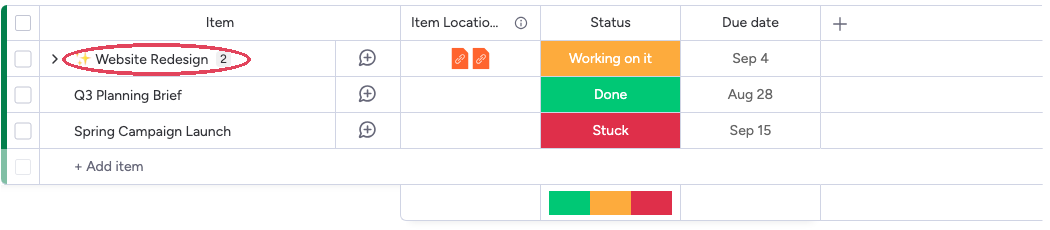
Before diving into each cause, run through this checklist:- The item is shared across boards (look for the star icon next to the item name)
- The user who posted the update has authorized the SIMB app
- The user has access to all connected boards
- The board’s Updates preference (SIMB view → Settings → Board Settings → Updates) is set to sync, and the target board isn’t excluded
- You’ve refreshed the board after posting the update
1. The User Hasn’t Authorized the App
This is the single most common reason updates don’t sync. Because of monday.com’s security model:- Each user must authorize SIMB individually
- Admins cannot authorize on behalf of other users
- Updates sync under the account of the person who posts them
How to check authorization status
- Open any shared item.
- Click the Same Item Multiple Boards tab.
- Click the Settings (gear) icon.
- Go to Account Settings.
- Scroll down to Authorization.
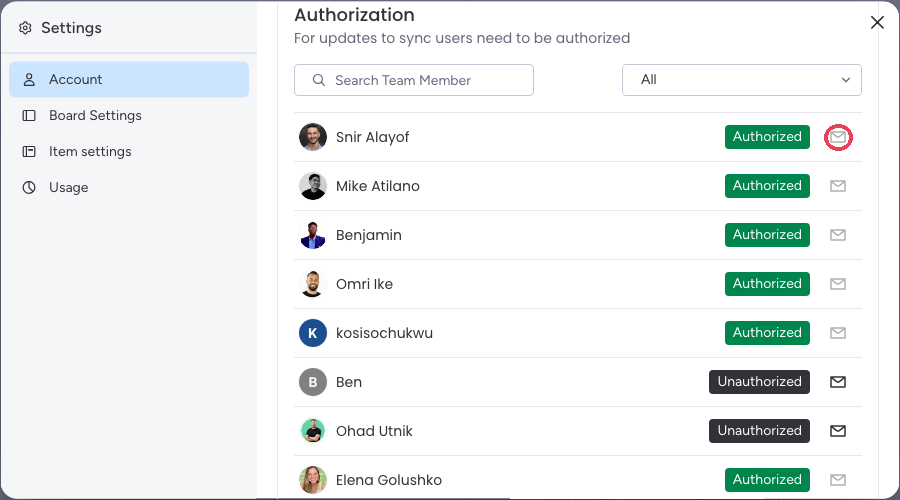
How to authorize users quickly
- Send Invite (Recommended)
From the Authorization section, click the mail icon (Send Invite) next to any unauthorized user.This sends a personalized one-click authorization email. You can send invites in batches to authorize multiple users at once.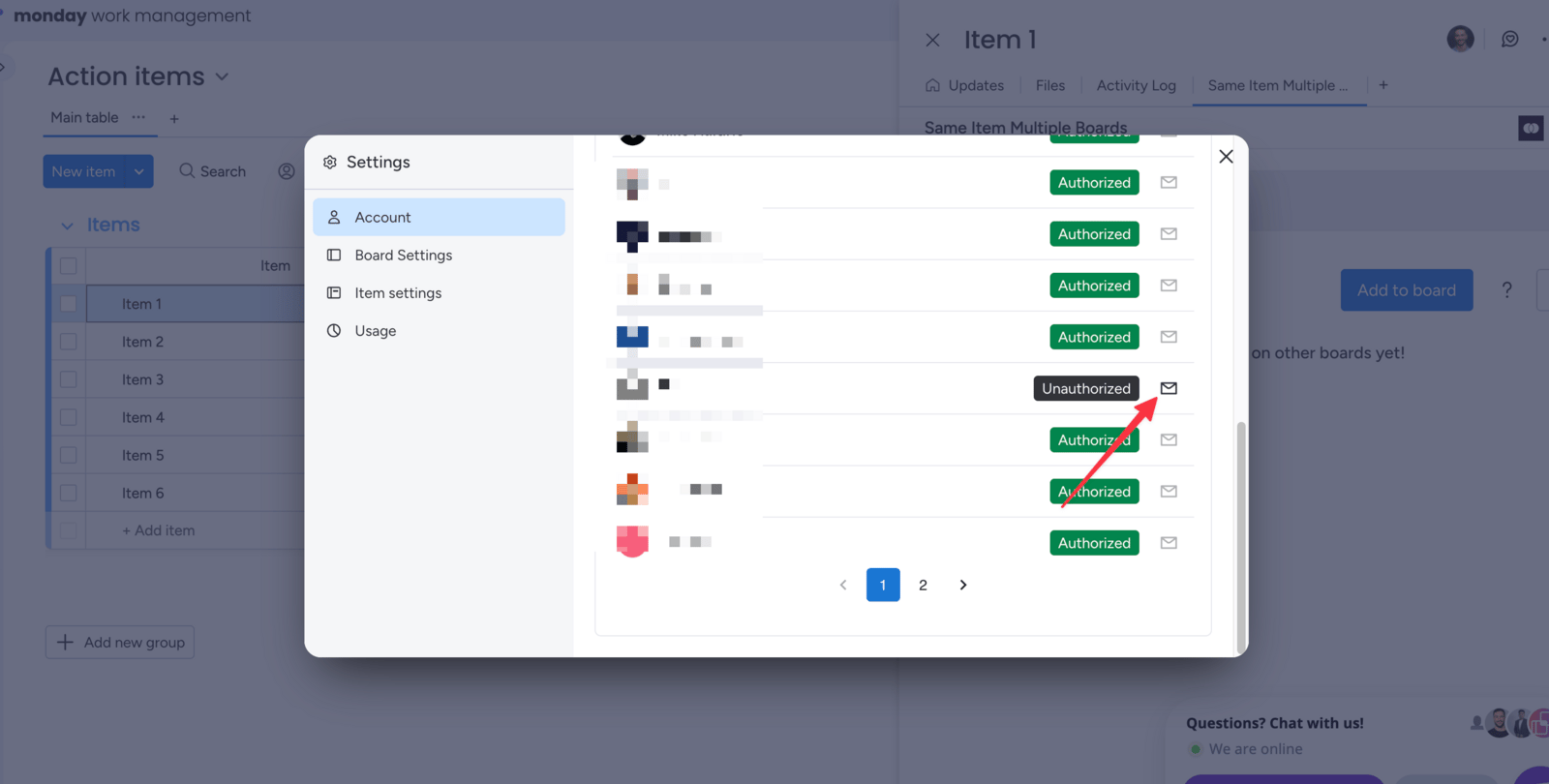
Important notes about authorization
- Authorization is a one-time action — it does not expire.
- Only future updates will sync after a user authorizes. Past updates do not sync retroactively.
- If a user posts an update while unauthorized, they’ll receive a notification prompting them to authorize. That update will not sync, even after they authorize.
2. The Item Isn’t Actually Shared
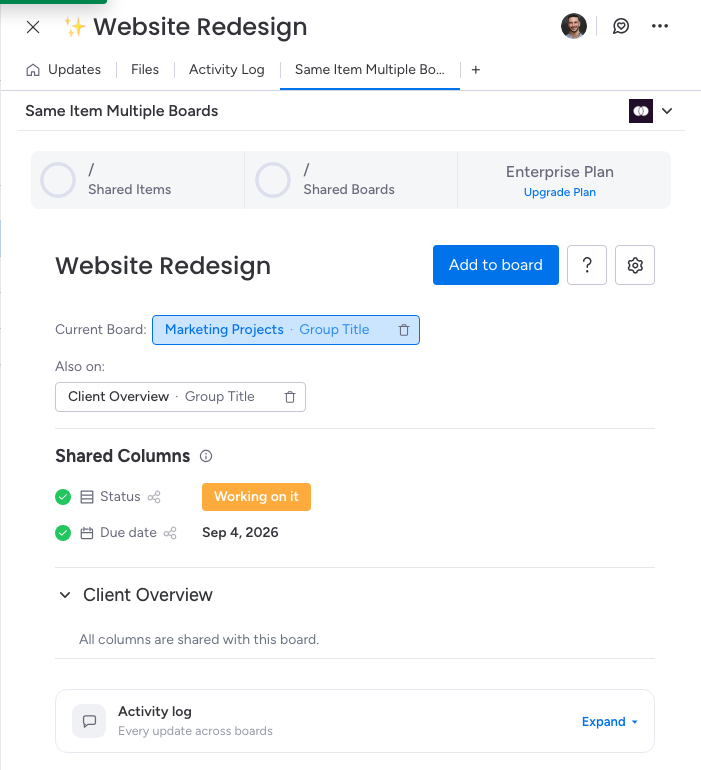
Sometimes an item is assumed to be shared when it isn’t. Verify before troubleshooting further. How to check:-
Look for the star icon next to the item name in the board view.
-
Or open the item and click the Same Item Multiple Boards tab — a shared item lists its Current Board and every board it’s Also on.
3. The User Doesn’t Have Access to the Other Board
If the connected board is private and the user isn’t a member, their updates cannot reach that board — even if everything else is set up correctly. How to fix it: Add the user to every board where the shared item exists. Once they have access, their updates will sync to all connected boards as expected.4. The Board’s Updates Preference Is Blocking the Sync
Each board has an Updates preference that controls whether updates written on it are copied to other boards. If someone set it to block, updates won’t sync — by design. How to check it:- On the board where the update was posted, open any shared item and click the Same Item Multiple Boards tab.
- Click the Settings (gear) icon, then Board Settings.
- Scroll to the Updates section.
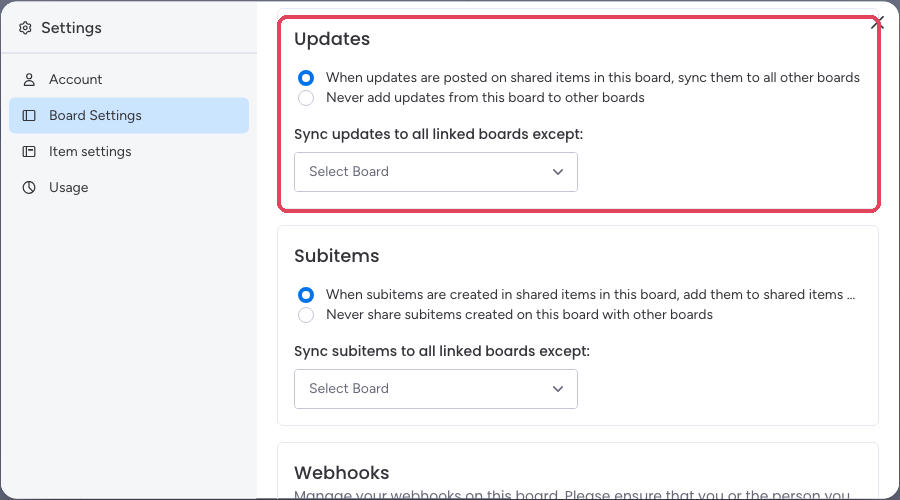
The preference is per board and per direction — check it on the board where the missing update was written, not the board where you expected it to appear. See Block Updates Sync for how this setting works.
5. There’s a Short Delay
Updates may take a few seconds to appear on connected boards. If you just posted a comment and it hasn’t shown up yet, wait a moment and then refresh your board. In most cases the update appears within seconds.Syncing Historical Updates After Authorization
If updates were posted before users authorized the app, those updates won’t sync automatically. To bring them across, follow these steps after all relevant users have authorized:- Unshare the item from the connected board.
- Re-share it using SIMB.
Still Need Help?
If you’ve checked everything above and updates still don’t sync, contact the support team at support@pioneera.io. Include:- A link to the affected item
- The name of the user who posted the update
- A short screen recording if possible